Open Share
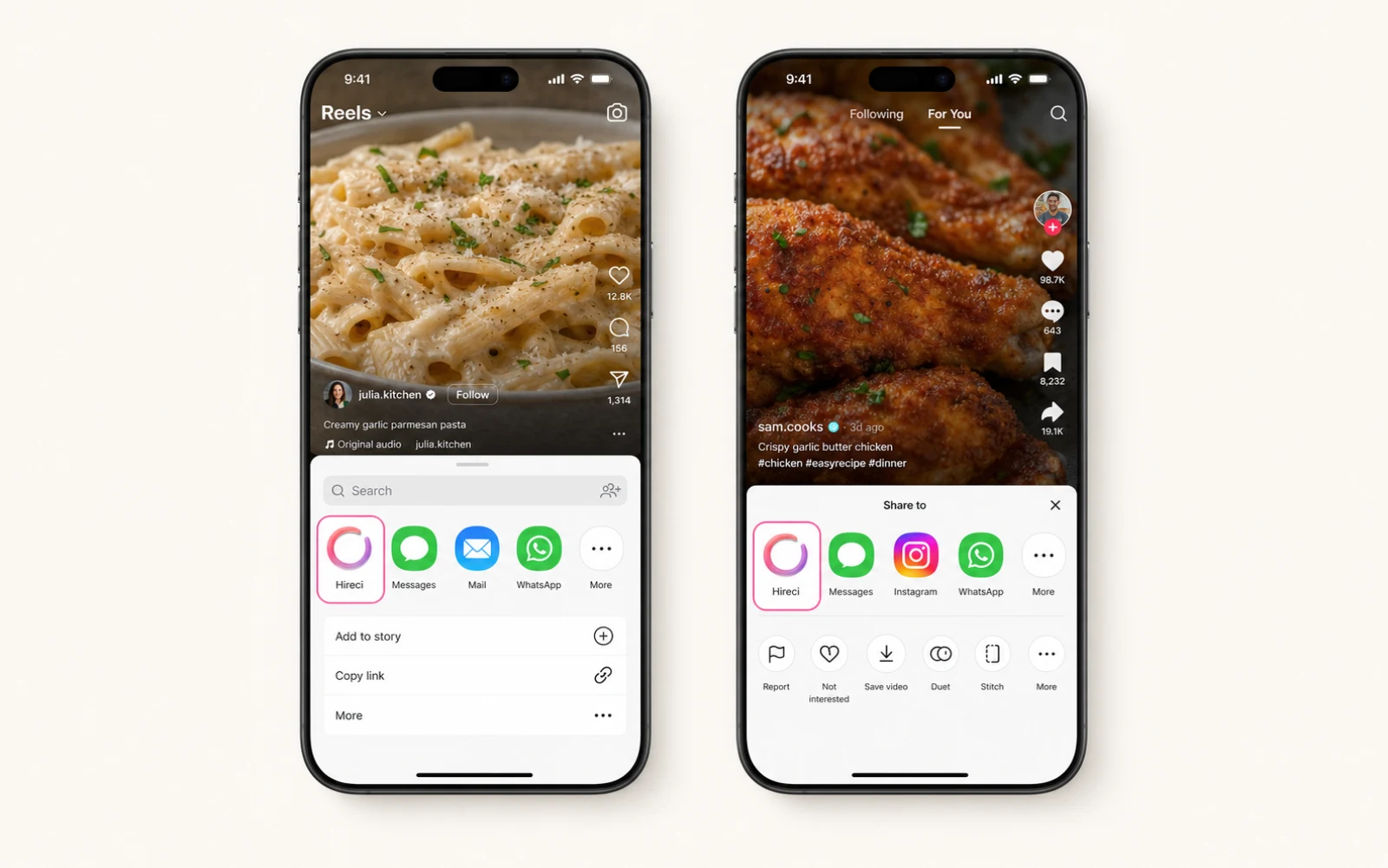
Open the public Instagram Reel or food post and tap the share icon.
Instagram recipe saver for iPhone
See a food video you want to cook later? Share the public Instagram post to Hireci and keep it as an organized, editable recipe instead of another forgotten save.
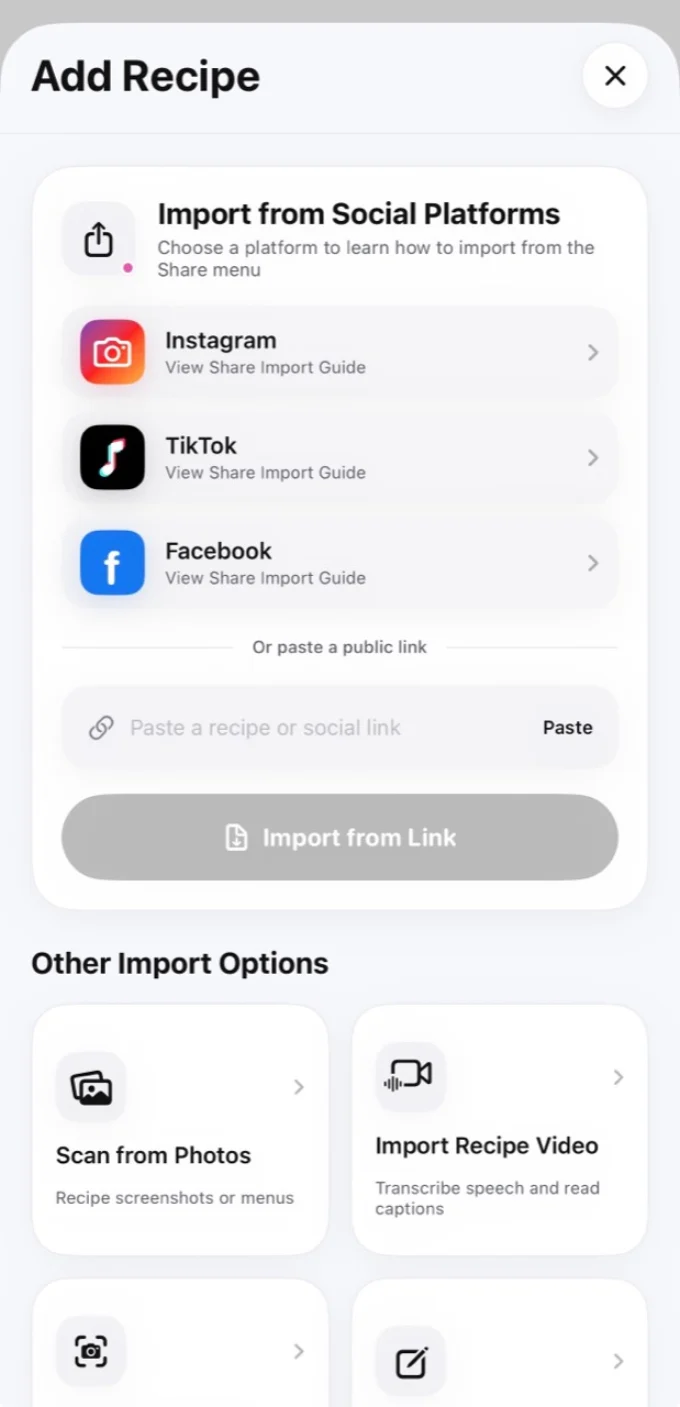
The fastest method uses the share button you already use inside Instagram. There is no need to retype the caption or fill your camera roll with screenshots.
Open the public Instagram Reel or food post and tap the share icon.
Select Hireci in the iOS share sheet. If it is not visible, add it once from More.
Check the title, cover, ingredients, and steps, make any edits, and save it to your cookbook.
A better Instagram recipe folder
Instagram is excellent for discovering food ideas, but a social save is still a post inside a feed. Hireci turns an Instagram recipe into a searchable recipe card with its source attached, so you can return to the creator while cooking from clearer information.
When a post contains enough information, Hireci separates ingredients, amounts, and directions. When details are missing, it keeps the useful title and cover, tells you what was not found, and lets you edit every field.
Your saved recipe can then move into a weekly meal plan, grocery list, nutrition estimate, or cost estimate without copying the same information again.
Hireci is an independent recipe organizer and is not affiliated with Instagram or Meta.
Build a searchable recipe library without another folder of forgotten screenshots.
Download Hireci for iPhone