
01 / START WITH THE COOKING POST
How to use a Facebook Reels recipe converter
A useful conversion starts with a post that actually contains recipe information. If you found a Reel through a friend’s share or a group discussion, open the cooking post itself. The message above a shared Reel might describe someone’s variation rather than the creator’s original recipe.
Find the original Reel and its full caption
Open the individual public cooking Reel or recipe post. Check the publisher and expand See more if the caption is shortened. Look for ingredients, quantities and directions before copying the link. A Page profile or group homepage is not a link to one recipe.
Copy the Facebook recipe link
Open the post’s Share menu and choose Copy link. Use the complete copied address. If you are looking at a shared post with extra commentary, check that the link takes you to the recipe you intend to import.
Import the Reel into Hireci
In Hireci’s add-recipe menu, choose Paste a recipe link, tap Paste, then Analyze recipe. Keep only the URL in the field if the copied text includes other words. Open the imported recipe when the process finishes.
Compare the result, then edit it
Review the ingredients and directions against the original caption and demonstration. In the recipe’s … menu, choose Edit recipe. Correct the details you have verified and tap Save. Check the available publisher and source information too, especially for reposted content.
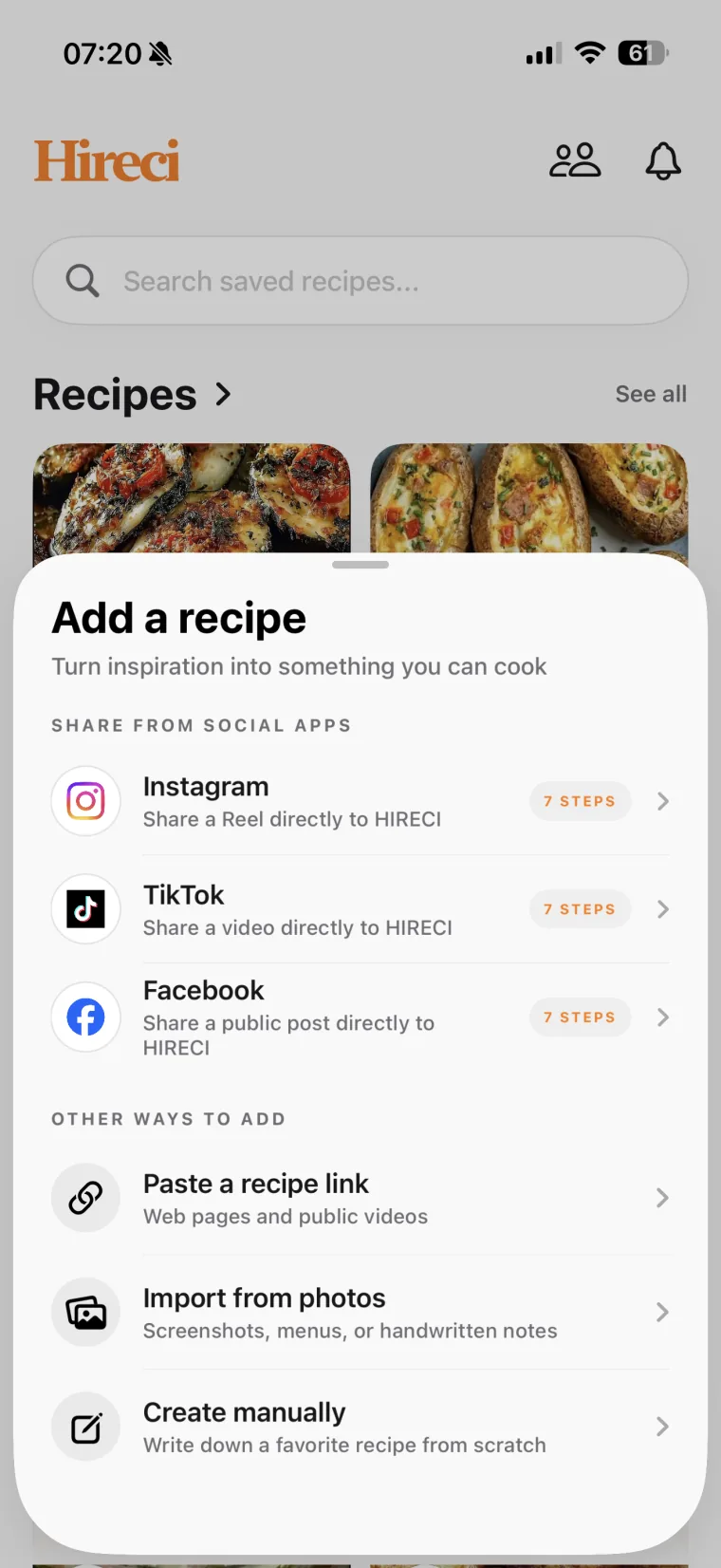 Start with the post link
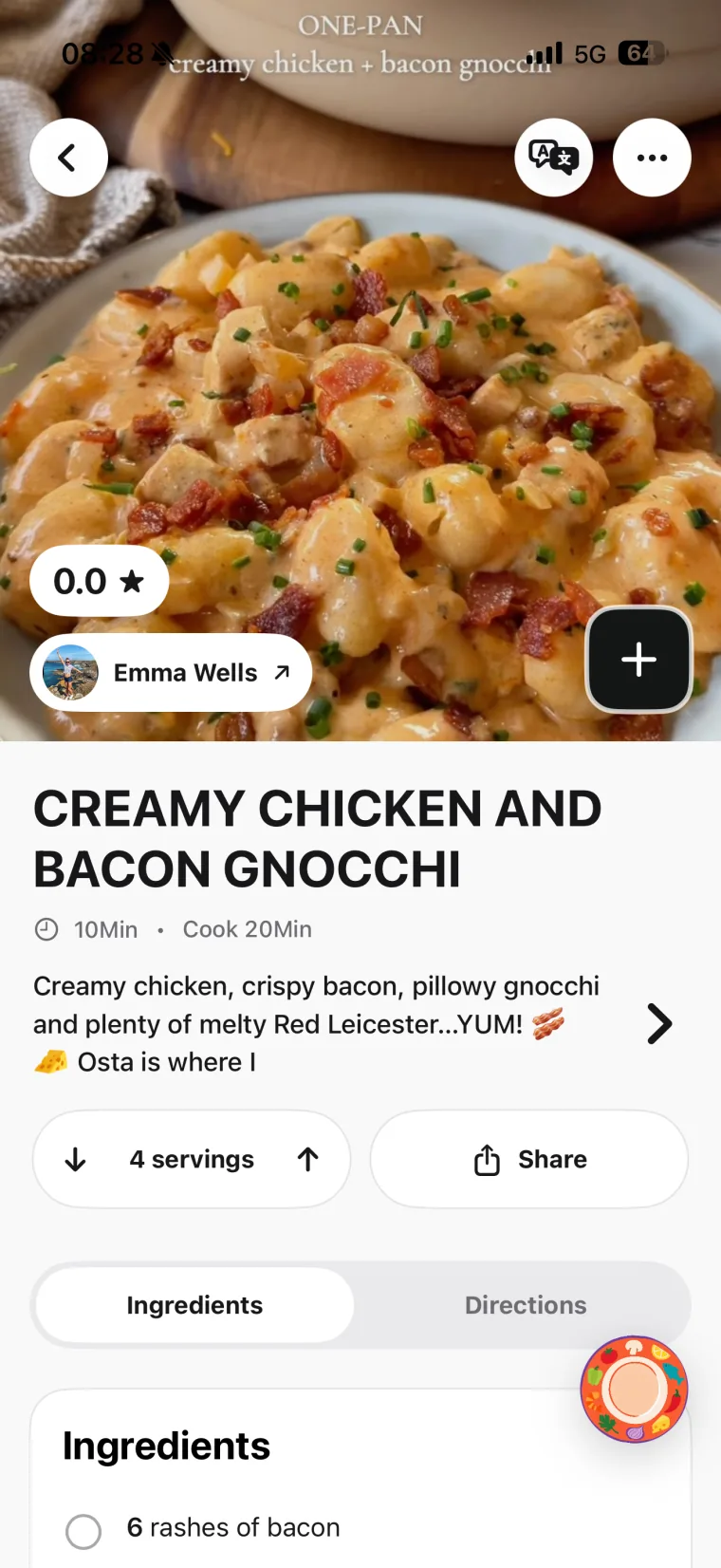 Review the saved details
Share directly from Facebook to Hireci
In Facebook, choose Share → More options, then tap HIRECI in the iOS share row. On first use, swipe to the end of that app row and choose More → Edit. Tap + beside HIRECI, then Done, and select HIRECI from the row.
Facebook’s More options opens the system share sheet; the second More manages the apps in it. If you cannot find these options, use the copy-link method above. The Facebook entry inside Hireci’s add-recipe menu opens its sharing tutorial.
02 / RECIPE OR REPOST COMMENT?
Keep the creator’s recipe separate from a shared-post suggestion
Facebook lets people add their own text when sharing content. That extra sentence might recommend a topping, change an ingredient or simply say the dish looks good. Decide which version you want to cook before combining information from different people.
Original teaching example, not a real Facebook post or an actual import. The two sources below are deliberately different.
WHAT WAS SHARED
A berry yogurt bowl
- Creator’s caption: One bowl: 200 g plain yogurt, 75 g berries, 1 tsp honey. Spoon the yogurt into a bowl, drizzle with honey and add the berries.
- Friend’s share text: I added granola to mine.
The granola is the friend’s addition. The creator’s caption does not list it or give an amount.
THE ORIGINAL RECIPE
Berry yogurt bowl
Ingredients · 1 bowl
- 200 g plain yogurt
- 75 g berries
- 1 tsp honey
Directions
- Spoon the yogurt into a bowl.
- Drizzle with the honey.
- Add the berries.
Your variation: Add granola only if you choose that version, and note the amount you use. It is not part of the creator’s original list.
Make your chosen version clear in Hireci
In Edit recipe, keep 1 tsp in Amount and Honey in Ingredient. If you add granola, use Add ingredient, enter the amount you choose and put My optional topping in Note (optional). That keeps a personal change from looking like an instruction from the original creator.
Use the same approach for a commenter’s suggested substitution. A suggestion and an author’s correction are different: check who wrote the comment and whether it changes the recipe you are following.
03 / FOLLOW THE SOURCE
What to check after converting a Facebook Reel into a recipe
Look at the source as well as the ingredient list. An imported publisher name may identify the account that posted a copy, rather than the person who originally developed the dish. Keep the source you can actually verify.
| Look at | Check for | What to do |
|---|---|---|
| The linked Reel | The intended cooking post, not a Page profile or someone’s unrelated share. | Open the available source link and compare the dish and publisher. |
| The expanded caption | Quantities, portions or instructions below the shortened preview. | Compare the full written recipe with the imported fields. |
| The demonstration | Preparation, timing and sequence that may not be in the caption. | Add missing steps only after checking the video or the creator’s written method. |
| Shared-post text and comments | Personal variations, questions or a correction from the creator. | Keep optional changes distinct and verify any correction before using it. |
| A linked recipe website | A full method or updated recipe available on the creator’s own page. | Open that individual recipe page if it is the more complete source. |
Sharing a Facebook Reel does not mean an attached recipe website or every comment has also been imported. For a full written recipe, copy that page’s own URL and follow the website recipe import guide. Recheck amounts if the website and the Reel show different versions.
04 / WHEN A REEL WILL NOT CONVERT
Fix a Facebook recipe link or access problem
The link uses fb.watch or opens another screen
Try the complete copied link first. If it does not reach the intended cooking post, open the original Reel and copy a fresh link. Keep the actual Facebook post address rather than a direct video-file URL. Do not guess a post ID or rewrite the URL by hand.
You can watch the Reel, but the importer cannot access it
Your Facebook account may have permission to see a private post or group that is not publicly accessible. An app import does not inherit your group membership. Look for a public version from the creator or an available written recipe.
The group is public now, but an older post still fails
Check the post itself. Meta explains that posts made while a group was private stay restricted when the group becomes public; they remain visible to prior members, admins and moderators. The group’s current public label does not establish that every older recipe is accessible.
The imported recipe contains only a title or a few details
Expand the caption, check the demonstration and look for the creator’s written version. Use Edit recipe and Add step for verified missing instructions. If you already have a readable screenshot of recipe text, Import from photos is a separate option: choose the image, review the extracted recipe and save it. A picture of the finished dish alone does not provide the full method.
If a public cooking post still fails, send its link and any error message to Hireci support. Include whether you used Copy link or the iOS share sheet so the issue can be checked.
05 / COMMON QUESTIONS
Facebook Reels Converter FAQ
Is this a Facebook Reels recipe converter or a video downloader?
This is a tutorial for turning public cooking posts into editable recipes in Hireci on iPhone and iPad. It does not offer a browser video downloader or a way to change video-file formats. Use Paste a recipe link inside Hireci to begin the recipe import.
Can I convert a Facebook Reel without saving the video first?
Yes. The workflow uses the public post link, so you do not need a video file in your camera roll. Check the ingredients and directions after importing; access to the post and its available information affect the result.
Can a Facebook Reels converter import a recipe from a private group?
Do not rely on it. Being a group member does not make the post publicly accessible. Use a public source from the creator, a written recipe you can access or readable recipe text you already have.
Will every comment and spoken instruction be included?
A recipe import is not a promise of a complete transcript or comment archive. Check important quantities and steps against the original post. Keep other people’s substitutions separate from the creator’s instructions.
Does the saved recipe keep the original video available?
Saving recipe details is different from preserving the Facebook video. A source link may stop working if the post is deleted or its audience changes. Review the recipe text while you can still compare it with the original.
Can I convert recipes from Instagram or TikTok too?
Follow the separate Instagram Recipe Converter or TikTok Recipe Converter tutorial for those platforms’ sharing steps and examples. For Pinterest, use the Pinterest Recipe Converter tutorial to follow a Pin’s link to the original recipe website.
Hireci is an independent app and is not affiliated with Facebook or Meta.