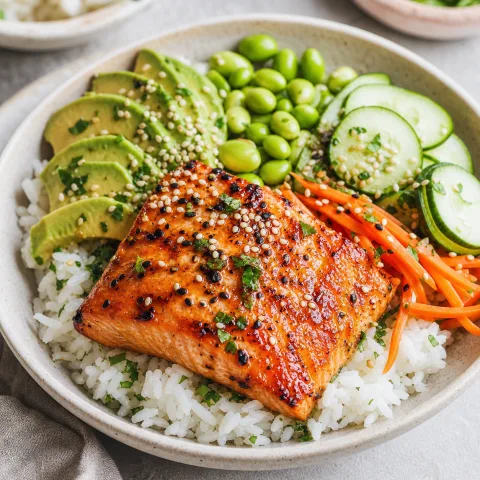
01 / PIN → WEBSITE → HIRECI
How to use this Pinterest recipe converter workflow
A Pin can help you discover a dish without containing its complete recipe. For this workflow, open the website linked from the Pin and import that website’s recipe into Hireci. The source page gives you something concrete to check: ingredients, quantities and a method.
Open the Pin’s linked website
Open the individual Pin and look for Visit site or its website link. If the button is not beside the Pin, check the … menu. Pinterest explains that Visit site can appear in either location. A Pin may also have no website attached.
Find the full recipe and copy its address
On the linked website, open the individual dish. A collection such as “20 easy lunches” still needs another click to reach one recipe. Check the ingredients and directions, using Jump to Recipe if the site provides it, then copy that page’s URL from the browser.
Import the recipe website into Hireci
In Hireci’s add-recipe menu, choose Paste a recipe link, tap Paste and check the address. It should be the recipe publisher’s page. Tap Analyze recipe to import its available recipe information.
Check the result against the original recipe
Open the imported recipe and compare the amounts, serving count and directions with the website. Use … → Edit recipe for corrections, then tap Save. Keep any personal changes clear so they do not look like part of the author’s original instructions.
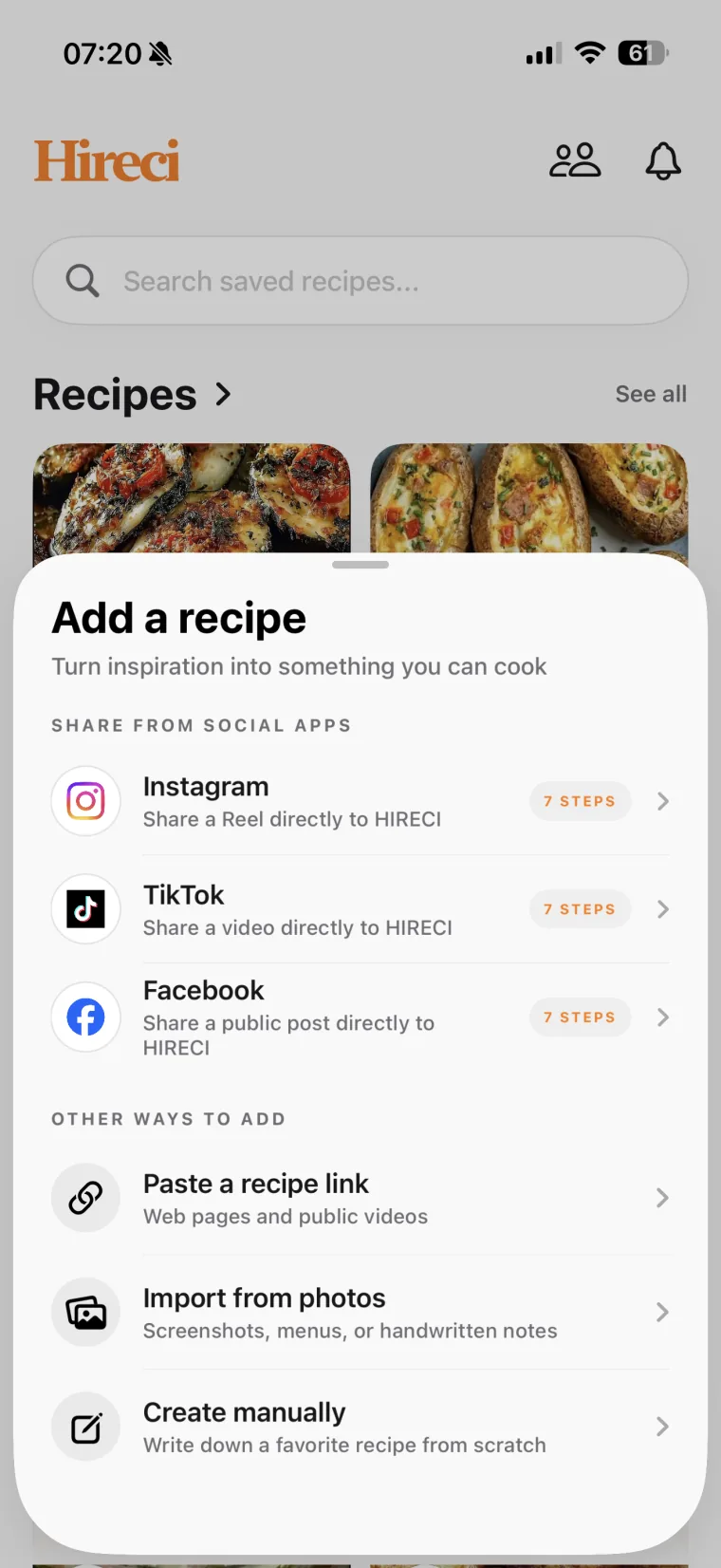 Paste the original website URL
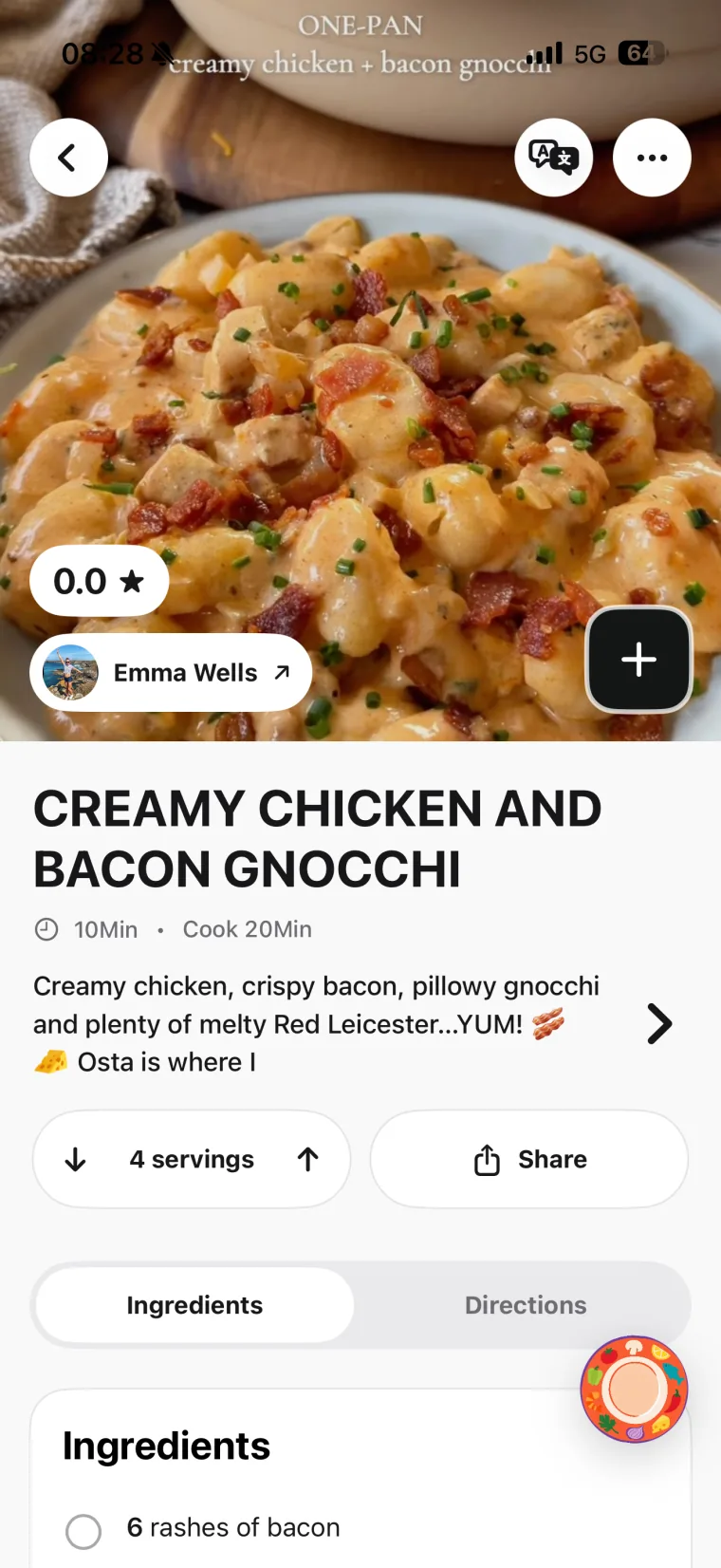 Check the imported recipe
A Pin link and a recipe link are different
A copied pin.it/… or pinterest.com/pin/… address points to the Pin. Open it first, visit its linked website and copy the full recipe page’s address for Hireci. This guide uses the original webpage, rather than relying on a Pinterest URL to supply the complete recipe.
02 / BEYOND THE PIN PREVIEW
What the original recipe adds to a Pinterest preview
A short description or ingredient preview can tell you what a dish is without telling you how to make it. Use the linked recipe to fill that gap. Do not estimate the missing quantities from the food photo.
Original teaching example, not a real Pin, published recipe page or actual import.
THE PIN PREVIEW
Lemon chickpea salad
A quick chickpea salad with lemon, olive oil and a pinch of inspiration.
The preview gives a dish idea. It does not state the ingredient amounts, serving count or preparation steps.
THE LINKED RECIPE
Lemon chickpea salad
Ingredients · 2 servings
- 240 g cooked chickpeas, drained
- 1 tbsp lemon juice
- 1 tbsp olive oil
- ¼ tsp salt
Directions
- Stir the lemon juice, olive oil and salt together.
- Toss with the drained chickpeas, then divide between two servings.
What to import: The webpage with this full recipe, then check that its quantities, preparation notes and yield came through.
The full recipe supplies the measured salt, the drained chickpea weight and the serving count. Those details come from the recipe page, not from the preview’s wording or the image.
Keep the ingredient condition when you edit
In Edit recipe, put 240 g in Amount, Chickpeas in Ingredient and Cooked, drained in Note (optional). Confirm the two-serving yield before changing portions. If the website has serving multipliers or unit switches, check the imported amounts rather than assuming it used the version currently shown in your browser.
03 / CHOOSE THE RIGHT SOURCE
Which Pinterest recipe import route should you use?
Start with what you have actually found. A link, a photograph of food and an image containing a written recipe give an importer different information.
| You have | Next step | Use in Hireci |
|---|---|---|
| A Pin with a recipe website | Visit the linked site and open the full recipe. | Paste a recipe link, using the publisher’s recipe URL. |
| A Pin linking to a roundup | Choose one dish and open its individual recipe page. | Import that page, not the roundup or board URL. |
| An image of written recipe text | Make sure the ingredient amounts and directions are readable. | Import from photos, then review the extracted text. |
| Only a finished-dish photo | Find the creator’s full recipe or ask where it is published. | Wait for recipe information; a food photo does not establish the original method. |
| A video Pin with no recipe link | Look for a written version from the creator. | Use a recipe website or verified text. This guide does not promise video Pin transcription. |
When the recipe is written in an image
If you already have a clear recipe image, choose Import from photos → Choose photo in Hireci. Check the Review recipe screen, correct anything unclear and tap Save. If the recipe spans several images, make sure you have all of the instructions; do not assume separate images are automatically combined.
Pinterest distinguishes saving a Pin to a board from downloading its image. Some Pins offer Download image; not all do. Saving a Pin in Pinterest does not place the recipe in Hireci.
04 / FIND THE RECIPE BEHIND THE PICTURE
Fix missing Pinterest recipe links and incomplete imports
You cannot find Visit site
Open the Pin’s … menu and look for the website link there. If no link is attached, check the creator’s profile or search their site for the exact dish name. A visually similar recipe from another author is not evidence that you found the original.
The link opens the wrong dish or a missing page
Check the destination before importing. The website may have moved or the Pin may point somewhere unrelated. Look for the recipe on the named publisher’s site, or ask the creator for the current link. A recipe converter cannot reconstruct an unavailable author’s recipe from a broken link.
The import contains a collection title or only a preview
Return to the publisher’s site and open the individual full recipe. Copy its page address and try that URL. For the website import steps and further checks, see the guide to saving recipes from websites.
Quantities or directions are still missing
Compare the result with the visible recipe card. Use … → Edit recipe, then Add ingredient or Add step for information you can verify. If the source never provides an amount, do not turn a guess into an exact instruction. Contact Hireci support with the original recipe-page URL if a readable public page still fails to import.
05 / COMMON QUESTIONS
Pinterest Recipe Converter FAQ
Can I paste a pin.it link directly into Hireci?
The workflow here uses the original recipe website’s URL. Open the pin.it link to reach its Pin, follow the website link and copy the individual full recipe page. Do not rely on a Pin URL being converted into a complete recipe automatically.
Is this an online Pinterest recipe converter?
This page is a tutorial for Hireci on iPhone and iPad. Use Pinterest to find the original website, then import that recipe page inside Hireci. The illustration shows the required website step between the Pin and the saved recipe.
Does saving a Pin save the whole recipe in Hireci?
No. Pinterest’s Save action adds the Pin to a board. To keep an editable recipe in Hireci, open and import the source webpage, or use a readable image containing the recipe text.
Can I import an entire Pinterest board?
This workflow imports one recipe webpage at a time; it does not sync a Pinterest board. Open each dish’s original recipe page so you can check which recipe and quantities are being saved.
What if the Pin is a cooking video?
Look for a linked written recipe from the creator and use that page’s URL. This tutorial does not describe automatic transcription of Pinterest video Pins. If there is no written source, collect and verify the recipe details before creating your own recipe in Hireci.
Can I edit a recipe I found through Pinterest?
Yes. After importing its webpage or readable recipe image, open the recipe’s … menu and choose Edit recipe. Update the ingredients, notes or steps and tap Save. Keep the available source details and distinguish your own substitutions from the original.
Hireci is an independent app and is not affiliated with Pinterest.