01 / THE WALKTHROUGH
How to convert an Instagram Reel into a recipe
An Instagram recipe converter organizes available cooking information into a recipe’s ingredients and directions. The goal is a useful written recipe. It does not mean every word in a video, every comment or every image will be included.
Find the original recipe post
Open the individual public Reel or post. Check the caption and video for the ingredient amounts and method. Copy the post link from Instagram’s sharing options; a profile link or search page does not identify the recipe.
Paste the Instagram link into Hireci
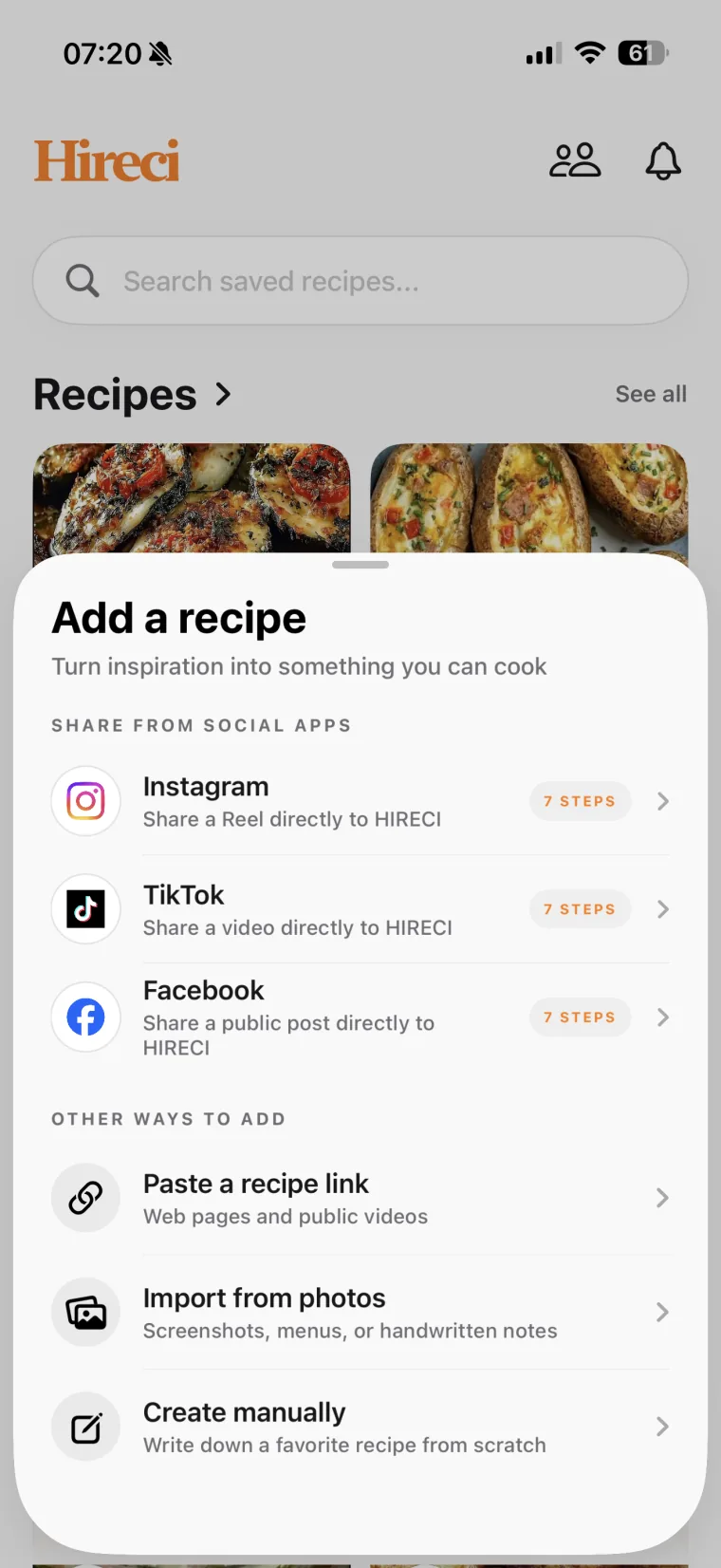
Open Hireci’s add-recipe menu and choose Paste a recipe link. Tap Paste and check the URL. Keep only the link in this field if the copied text also contains a caption or other message.
Run the conversion
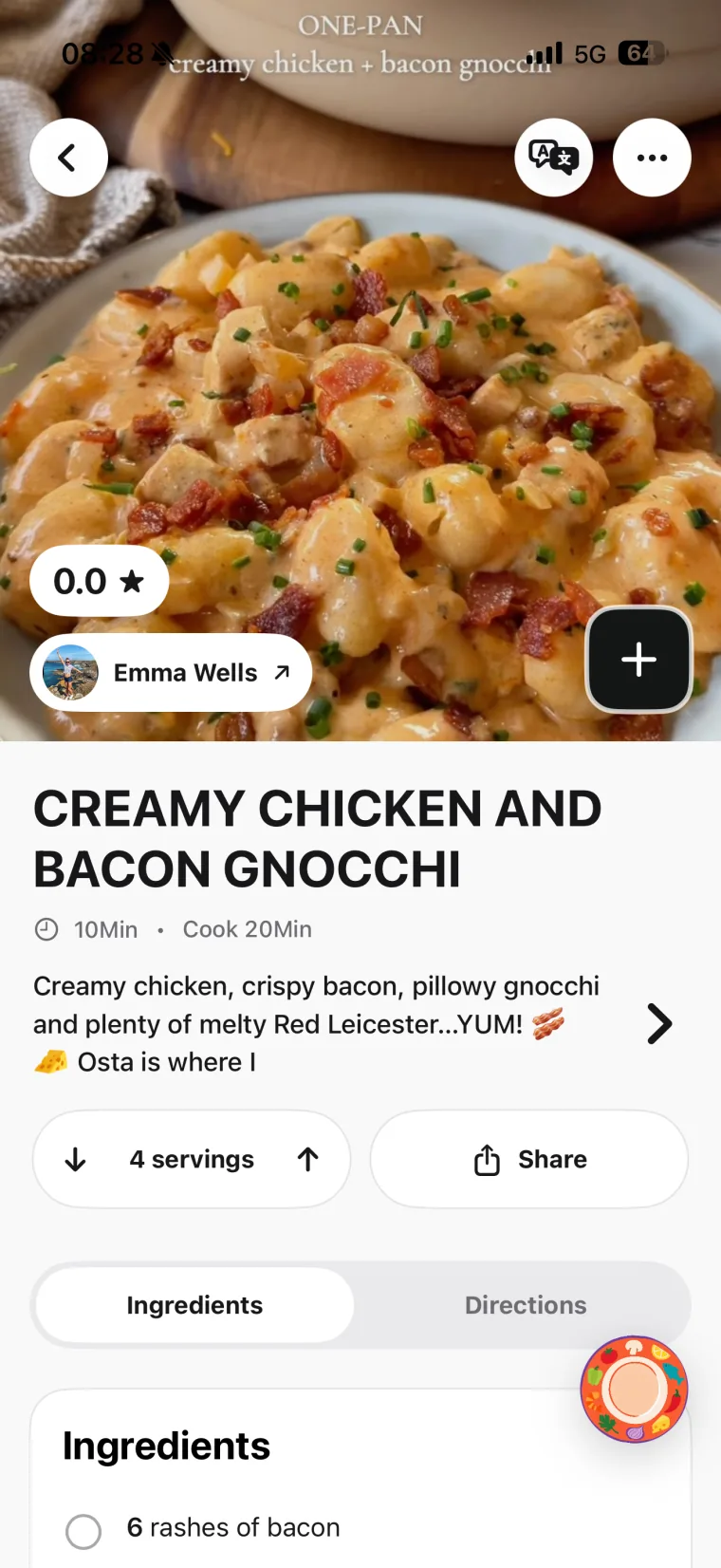
Tap Analyze recipe. Hireci starts importing the recipe information it can access. Once the import finishes, open the recipe to see which ingredients, quantities, instructions and source details are available.
Edit the written recipe
Compare the result with the original post. Open the recipe’s … menu and choose Edit recipe to correct missing or unclear details. Tap Save when you finish. Use the checklist below before changing servings or cooking from the converted recipe.
 Start with a recipe link
 Review the recipe details
Prefer sharing directly from Instagram?
On a public Reel, tap the paper-plane share icon, then Share to… and select HIRECI in the iOS share sheet. If it is missing, follow the Instagram sharing setup guide. The Instagram entry in Hireci’s add-recipe menu opens that sharing tutorial; choose Paste a recipe link for the copy-and-paste route.
02 / FROM NOTES TO A RECIPE
What a converted Instagram recipe should look like
A useful conversion separates ingredient names and quantities from the actions you follow in the kitchen. It also leaves missing information for you to verify instead of treating a guess as part of the original recipe.
Illustrative example written for this tutorial, not an actual Instagram post or an imported result.
SOURCE NOTES
A short cucumber-salad caption
1 cucumber, 2 tbsp plain yogurt, 1 tsp lemon juice, a pinch of salt. Slice the cucumber, stir the yogurt and lemon together, toss with the cucumber and salt, then serve.
ORGANIZED RECIPE
Cucumber salad
Ingredients
- 1 cucumber
- 2 tbsp plain yogurt
- 1 tsp lemon juice
- A pinch of salt
Directions
- Slice the cucumber.
- Stir the yogurt and lemon juice together.
- Toss with the cucumber and salt, then serve.
Still to check: The source does not state a serving count. Confirm the yield before scaling the recipe.
Notice what stays intact: tablespoons are not changed to teaspoons, the salt remains “a pinch,” and the mixing order follows the source. The written format is easier to scan, but the missing serving count has not become an invented number.
03 / CHECK BEFORE YOU COOK
Review your converted Instagram recipe
Use the original post as your reference. A polished title and a dish photo do not tell you whether the recipe has every quantity or step you need.
| Recipe detail | Check against the source | Correct when needed |
|---|---|---|
| Ingredients and units | Every ingredient, including sauces and toppings; tbsp versus tsp; grams versus cups. | Restore omitted ingredients and fix quantities or units. |
| Servings | Whether the stated amounts make one portion, several portions or a full batch. | Confirm the original yield before adjusting it. |
| Cooking steps | Preparation, order, timing, temperature and resting instructions. | Add missing steps only after checking the creator’s directions. |
| Source and author | Whether the saved source points to the post you intended to use. | Keep the correct reference available for visual techniques. |
Correct an ingredient or step in Hireci
Choose … → Edit recipe. In an ingredient row, put the number and unit together in Amount, such as “2 tbsp,” and the food name in Ingredient. Use Note (optional) for a clarification. Choose Add ingredient or Add step for something missing, then tap Save.
After checking the recipe, make any personal changes clear. For example, if you swap an ingredient, edit the relevant quantity and cooking instruction together. Keep track of which details came from the source and which belong to your own version.
04 / WHEN THE RESULT NEEDS MORE WORK
Fix an incomplete Instagram-to-recipe conversion
The post will not open or convert
Check that the link goes to an individual public post. Private, deleted or restricted content may not be available to the importer. Copy a fresh link from the original post and try again.
The caption has only a dish name
Look for the creator’s full instructions in the video or a linked recipe article. Do not treat the dish name alone as a complete recipe. If the creator links to a website, follow the website recipe import guide.
The missing instructions are in an image
Choose Import from photos → Choose photo and select a readable recipe screenshot. Choose Review recipe, check the recognized fields, then tap Save. A photo of the finished dish alone cannot supply the creator’s exact quantities and method.
A comment contains a correction
Read the creator’s clarification yourself and edit the saved recipe. Do not assume comments or later corrections were included in the conversion. If a public post consistently fails, send its link to Hireci support.
05 / COMMON QUESTIONS
Instagram Recipe Converter FAQ
How do I turn an Instagram Reel into a written recipe?
Copy the public Reel link, choose Paste a recipe link in Hireci, then tap Paste and Analyze recipe. Open the imported recipe and compare its ingredients and directions with the source. Use Edit recipe to correct incomplete details.
Is this an online converter or an app tutorial?
This page teaches the conversion workflow in Hireci for iPhone and iPad. Use the link-import screen inside the app to convert a supported public Instagram recipe. The walkthrough and example here explain how to check the result.
Does an Instagram recipe converter transcribe every word?
A recipe conversion and a transcript serve different purposes. The recipe organizes cooking information into ingredients and directions. Do not assume it preserves every spoken sentence, overlay, carousel image or comment from the original post.
What if an ingredient has no amount?
Check the caption, video and any written recipe from the creator. If the source still does not give an amount, leave that detail unresolved until you can confirm it. Do not treat an estimated quantity as one supplied by the creator.
Can I change servings after converting a recipe?
Yes, but first check the original quantities and serving count. A scaling control cannot correct a mistaken starting yield. Review the adjusted ingredients and any instructions that mention a specific pan size or batch size.
Will I be able to return to the original Instagram post?
Hireci keeps available source details with a recipe. Check the link after importing; it still depends on the original post remaining accessible. Keep useful written instructions in the recipe rather than relying only on a video you may need to revisit.
Can I convert TikTok recipes too?
Yes. Follow the TikTok Recipe Converter tutorial to work with a supported public TikTok recipe link. For Facebook Reels, see the Facebook Reels Converter tutorial.
Hireci is an independent app and is not affiliated with Instagram or Meta.