The link opens the wrong screen
Open the exact video in TikTok and copy its link again. A profile, sound or collection link does not identify one recipe. If a shared short link does not reach the post, try a fresh link from the original video.
FROM YOUR FOR YOU FEED TO DINNER
Found your next dinner on TikTok? Send a supported public recipe to Hireci and keep editable ingredients, directions and available source details together in your cookbook.
Send the video linkShare from TikTok or paste a public link.
Make the details clearCheck the caption, quantities and steps.
Get ready to cookPlan the meal and gather the ingredients.
01 / START WITH THE VIDEO
Open the individual public TikTok video that contains the recipe. A creator’s profile, a sound page or a search result is not the recipe link. You can send the video to Hireci from the share menu or copy its link into the app.
Tap the Share arrow on the right of the video. In TikTok’s sharing panel, choose More to open the iOS share sheet. The layout can change between TikTok versions; look for these labels.
Select HIRECI to start importing. If it is your first time, swipe to the end of the iOS app row and tap its More button. Choose Edit, tap + next to HIRECI, then Done. Return to the row and select HIRECI.
Compare the ingredients and directions with the original video and caption. Correct missing amounts, serving counts or cooking steps in Hireci. Keep the available creator and source details so you can revisit the original technique. Follow the TikTok Recipe Converter tutorial for a closer look at checking the imported recipe.
The first belongs to TikTok and opens the iOS share sheet. The second sits at the end of the iOS app row and lets you add HIRECI to Favorites. Once HIRECI is there, you can choose it directly from that row on your next import.
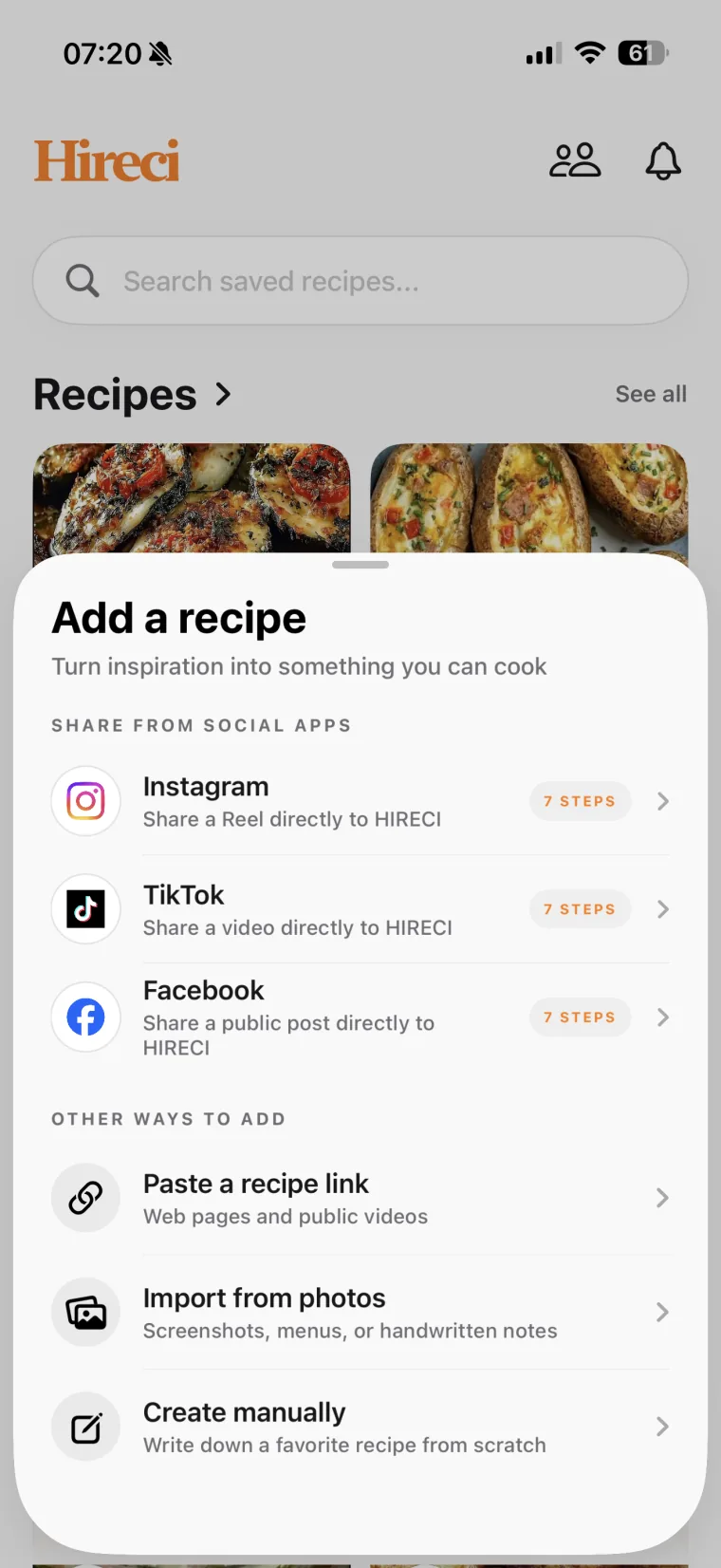
In TikTok, tap Share → Copy link. Open Hireci’s add-recipe menu and choose Paste a recipe link. Tap Paste, check that it is the video you want, then tap Analyze recipe. This route is useful when HIRECI does not appear in the share sheet. For other ways to keep a TikTok recipe, including Favorites and Notes, see how to save TikTok recipes.
The TikTok option in Hireci’s add-recipe menu opens the sharing tutorial. To paste a URL, choose Paste a recipe link instead. If the copied text also contains a caption, keep only the post URL in the link field. Import results depend on access to the public post and the recipe information available in it.
02 / MAKE THE RECIPE COMPLETE
A TikTok recipe can spread its details across the caption, text on screen and the creator’s explanation. Before you cook, compare the imported recipe with those details. A fast cut from raw ingredients to the finished dish may leave out a resting time or preparation step you still need.
| Look at | Check for | In Hireci |
|---|---|---|
| The caption | Ingredient amounts, yield and written directions. | Match each ingredient to its quantity and unit. |
| Text and speech in the video | Temperature, timing and details shown only briefly. | Add any missing instruction after checking the source. |
| The creator’s follow-up | Corrections or clarifications in comments or another post. | Edit your recipe manually; do not assume comments were imported. |
| The finished serving | Whether the recipe makes one portion or several. | Confirm the original yield before adjusting servings. |
If the video only names a dish, it may not contain enough information for a complete recipe. Look for the creator’s written version. You can import a supported recipe-page link through the same Paste a recipe link option, or use Create manually for details you have collected.
For a readable screenshot of recipe text, use Import from photos. Include the ingredient list and directions, then check the result. A photo of the finished dish alone does not provide the original recipe.
03 / TAKE IT TO THE KITCHEN
Suppose you find a crispy-potato video and want to make it this weekend. Import the recipe, check the potato quantity and oven temperature, then give it a recognizable name in your library. Confirm how many people it serves before changing the serving count.
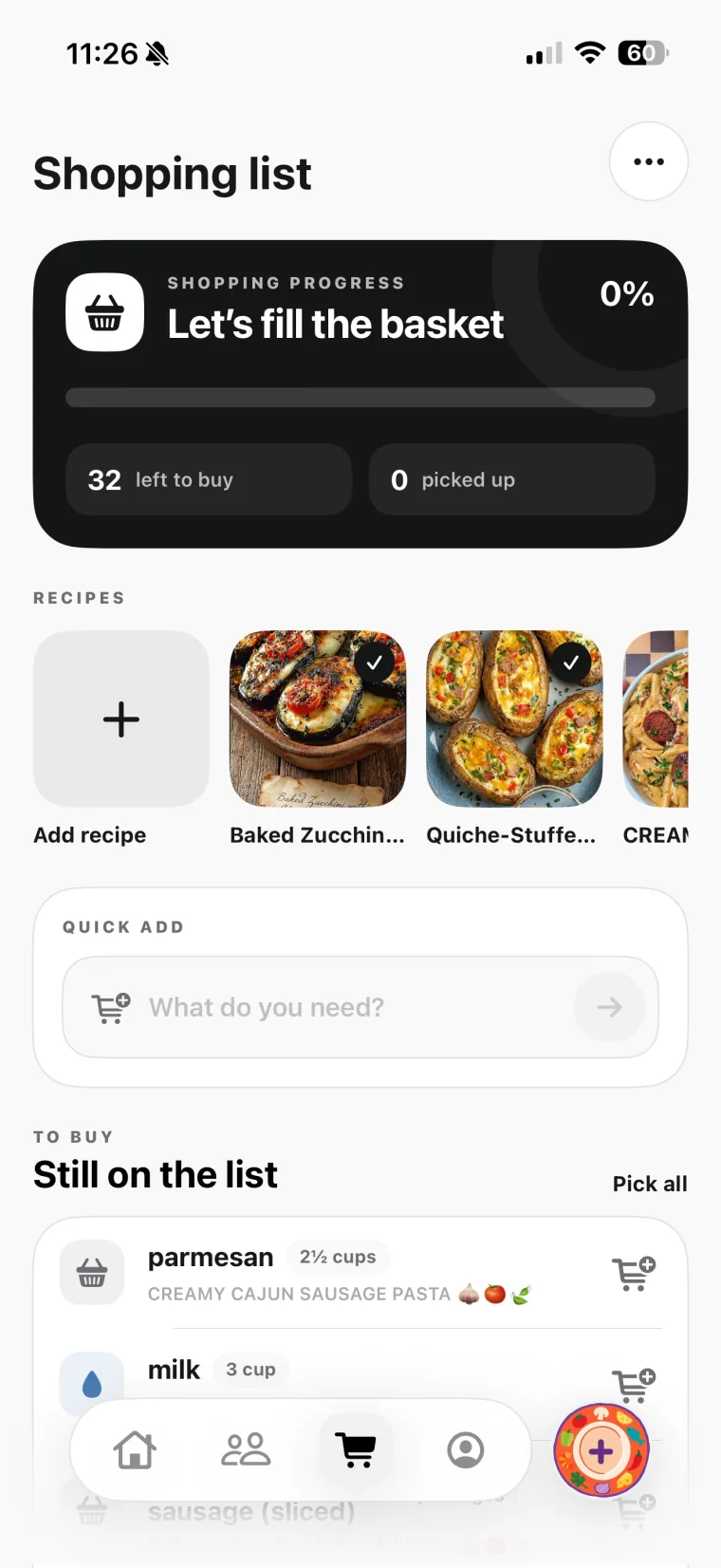
With Hireci+, add the dish to your meal plan and send its ingredients to your grocery list. Review what you already have, remove pantry items you do not need to buy, and check the combined amounts if you are shopping for several recipes.
Your TikTok recipes can sit alongside recipes from other sources in the same library. See Hireci’s cookbook, meal planner and grocery-list features, or follow the separate guide to saving recipes from Instagram.
04 / GET AN IMPORT BACK ON TRACK
Open the exact video in TikTok and copy its link again. A profile, sound or collection link does not identify one recipe. If a shared short link does not reach the post, try a fresh link from the original video.
A link that works inside your signed-in account may not be publicly accessible. Deleted, private or otherwise restricted posts may not import. Use an available written recipe or a readable recipe screenshot you already have.
Compare the caption and video with the result. Add missing quantities and steps in Hireci after checking the creator’s instructions. If the source does not state an amount or temperature, do not treat a guess as part of the original recipe.
Install and open Hireci, then check the iOS app row under More. Try the Copy link route above. If a public video still fails, contact Hireci support with the post link and a description of what happened.
05 / COMMON QUESTIONS
Hireci can import recipes from supported public TikTok posts on iPhone and iPad. Share the post to HIRECI or paste its link into the app, then review and edit the recipe. Your saved recipes can be organized in a cookbook and used with Hireci’s meal-planning tools.
No. The sharing and copy-link methods in this guide use the public post link. They let you import recipe details without first saving a video file to your camera roll. Access restrictions and the information in the post still affect the result.
They serve different purposes. A video preserves the creator’s demonstration; a recipe in Hireci gives you ingredients and directions you can edit, organize and use while cooking. An imported recipe is not a guarantee that the original video will remain available.
Do not rely on comment-only details being imported. Check the creator’s comments yourself and add the relevant instructions to your saved recipe. If the creator links to a complete recipe on a website, you can try importing that public recipe-page link.
Hireci is free to download. Some features require an active Hireci+ subscription, including unlimited smart imports, meal planning, grocery-list tools and nutrition analysis. Check the current plans in the app before choosing a subscription.
Hireci keeps available creator and source information with the imported recipe. What is included depends on the post and the information that can be accessed. Check those details when you review the recipe, and use the source link to return to the creator’s post while it remains available.
Hireci is an independent app and is not affiliated with TikTok.
MAKE YOUR NEXT FIND
Choose one TikTok recipe, bring it into Hireci and check the details. Your next meal can start with something you already wanted to cook.
Prefer step-by-step instructions? Follow the TikTok recipe converter tutorial.