01 / FROM A LINK TO A RECIPE
How to use a YouTube recipe converter in Hireci
Start with one cooking video that contains a recipe you want to make. A YouTube recipe converter can organize the available information into ingredients and directions. The description box is your best friend here: many creators paste the full written recipe there, which makes checking the conversion much faster than rewatching the video.
Copy the individual video link
Open the video or Short, tap Share and choose Copy link. Use the individual video — a
watch?v=…,youtu.be/…or/shorts/…address. A channel, playlist or search page does not identify one recipe.Paste the link into Hireci
In Hireci’s add-recipe menu, choose Paste a recipe link, then tap Paste. Keep only the complete URL in the field. If extra words came along with the link, remove those words before you continue.
Convert the video into a recipe
Tap Analyze recipe. When the import finishes, open the recipe and check what came through: its title, ingredients, directions and available source information. For a Short, expect a thin result — short videos often show the dish without explaining the method.
Review, edit and save the result
Open the description box and compare it with the converted recipe, then spot-check the video itself. In Hireci, open the … menu, choose Edit recipe, correct the ingredients or steps, then tap Save. The worked example below shows how the description box fills the gaps.
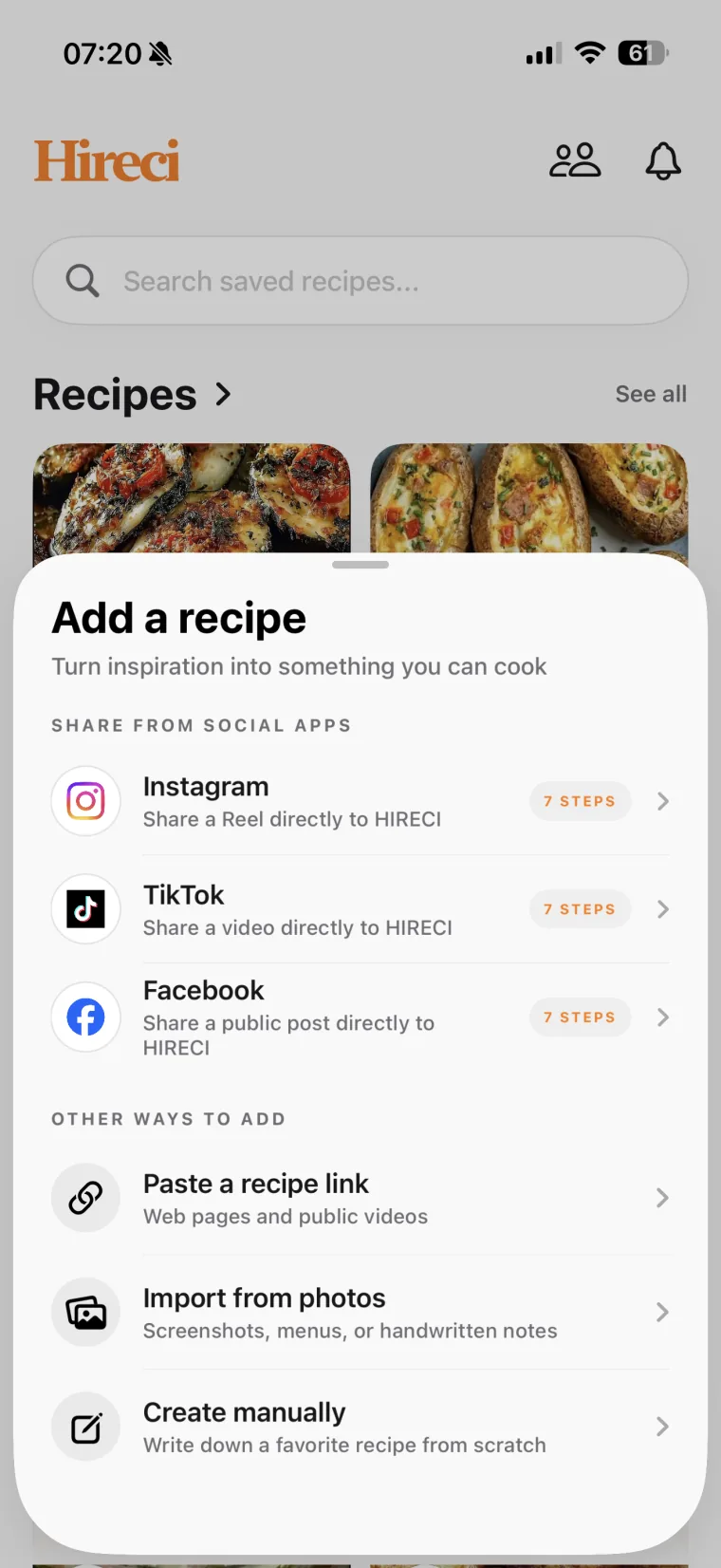 Choose Paste a recipe link
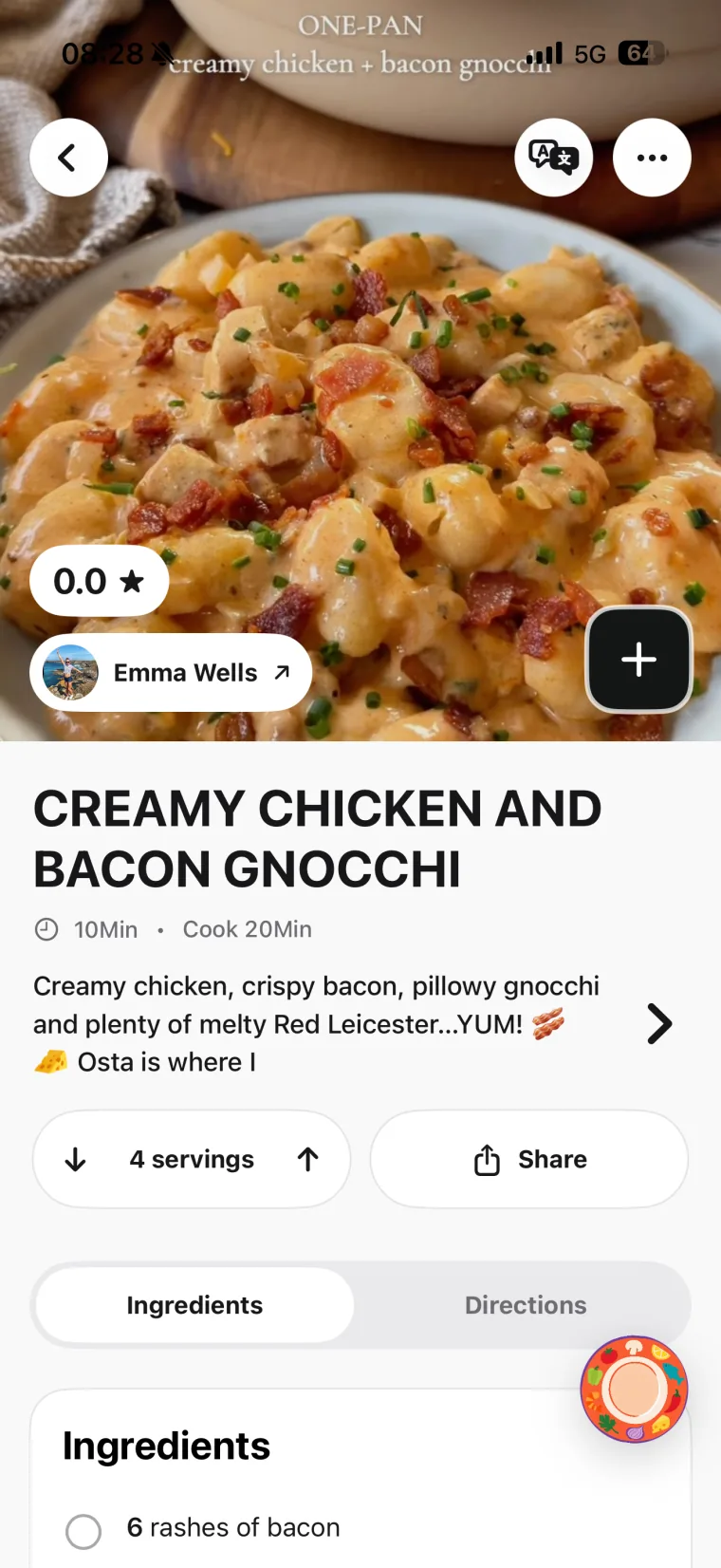 Open and review the recipe
Sharing directly from the YouTube app?
Tap Share under the video, then choose HIRECI if it appears in the share sheet. Otherwise use Share → Copy link and paste it with Paste a recipe link in Hireci — the result is the same.
02 / A WORKED EXAMPLE
Turn a YouTube cooking video into a written recipe
A longer video may put the full recipe in its description, explain timing aloud and mark chapters with timestamps. Gather those details before deciding whether your converted recipe is complete. Do not assume every source of information was imported automatically.
Original teaching example, not a real YouTube video or an actual import. It illustrates how to organize information you have checked.
DETAILS IN THE VIDEO
Garlic butter shrimp
- Description box: 12 large shrimp, peeled; 3 tbsp butter; 4 garlic cloves, minced; 1 tbsp lemon juice; salt and pepper.
- Spoken instruction: Melt the butter over medium heat, cook the garlic until fragrant, then cook the shrimp about two minutes per side until pink. Finish with lemon juice.
- Timestamps: 0:00 prep, 0:45 cooking.
ORGANIZED RECIPE
Garlic butter shrimp
Ingredients
- 12 large shrimp — peeled
- 3 tbsp butter
- 4 garlic cloves — minced
- 1 tbsp lemon juice
- Salt and pepper
Directions
- Season the shrimp with salt and pepper.
- Melt the butter over medium heat and cook the garlic until fragrant.
- Add the shrimp and cook about 2 minutes per side, until pink.
- Finish with the lemon juice and serve.
Not specified: The serving count and what to serve it with. The recipe keeps those gaps visible.
Put the description-box recipe first
When the creator wrote the recipe in the description, treat that text as the source of truth and the video as the check. In Edit recipe, enter 12 in Amount, Shrimp in Ingredient and Large, peeled in Note (optional). This preserves what the quantity means.
Use the timestamps to confirm the order: in this example, the garlic goes in before the shrimp, and the lemon juice finishes the dish. Tap Save after editing, then reopen the recipe to check the sequence.
03 / READ THE DESCRIPTION FIRST
Check the details a YouTube recipe conversion can miss
A long video can bury a resting step between chapters, and a Short can skip the method entirely. Start with the description box, then use timestamps to confirm the order. Look for the details that change what you buy or how you cook.
| Detail | What to check | What to keep in your recipe |
|---|---|---|
| The description-box recipe | Many creators paste the full written recipe there. | Amounts taken from the written recipe, not guessed from the video. |
| Timestamps and chapters | Jump to each step to confirm the order and any stated timing. | Steps in cooking order, with the timing the creator gives. |
| A Short with thin details | Shorts often show the dish, not the method. | Replay the Short and check its pinned comment and description before trusting the conversion. |
| On-screen amounts | Cups on screen vs grams in the description — pick the creator’s stated unit. | One consistent unit per ingredient. |
| Auto captions and translations | Auto-generated captions can mistranscribe ingredient names. | Names you have verified against the description or the video. |
If the creator never provides a quantity, yield or temperature, check for their written recipe or ask for clarification before relying on that detail. Avoid turning an uncertain guess into an apparently exact instruction.
04 / GET THE RIGHT SOURCE
Fix YouTube links and incomplete recipe conversions
Your link is a youtu.be or /shorts/ address
These are normal link forms — try the copied link first. If it fails, use Share → Copy link from the individual video and confirm it reaches the intended recipe. A full video address commonly contains watch?v=…. Do not substitute a channel or playlist URL.
The video is private, age-restricted or deleted
A video that opens in your YouTube account may not be publicly accessible to an importer. Look for a public or written version from the same creator.
The recipe only exists in the description
Compare the result with the description text yourself. You can add verified missing details through Edit recipe. If the creator published the recipe on a website, use that individual recipe page as the source and follow the website recipe import guide.
A Short has almost no details
Check the Short’s pinned comment and description first — creators often answer “recipe?” there. If the full-length version exists, convert that instead. A finished-dish clip alone does not contain the creator’s full method.
You still cannot convert an available public video
Try one fresh video link and confirm that it points to the intended recipe. If the import still fails, contact Hireci support with the video URL and what happened. Include the error message if one appeared.
05 / QUESTIONS BEFORE YOU CONVERT
YouTube Recipe Converter FAQ
Does this page convert YouTube links in the browser?
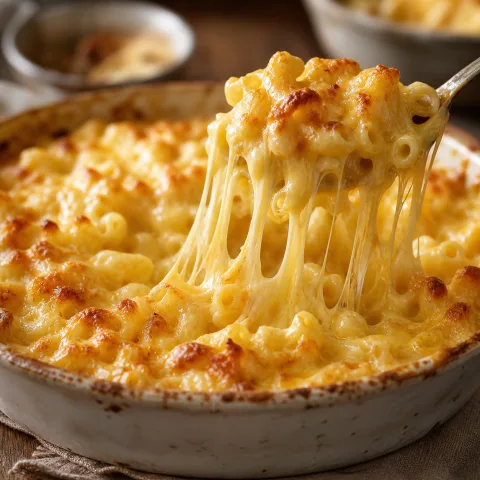
No. This page is a tutorial for Hireci on iPhone and iPad. The conversion happens inside the app: choose Paste a recipe link, paste the public YouTube video URL and tap Analyze recipe. The illustration above shows the idea of the workflow.
Can I convert YouTube Shorts?
Yes, but expect thin details. Shorts usually show the dish rather than the method, so replay the Short and check its pinned comment and description before trusting the conversion. If the creator posted a full-length version, convert that one instead.
What if the recipe is only in the video description?
That is the best case. Treat the written recipe in the description box as the source of truth and the video as the check. Compare the converted recipe against the description text line by line, and add anything missing through Edit recipe.
How do timestamps help?
Timestamps and chapters let you jump straight to each step of the cooking process. Use them to confirm the order of steps and any timing the creator states — a long video can hide a short resting or marinating step between chapters.
Can I convert a private or age-restricted video?
No. The video must be publicly accessible for an import to work. A private, age-restricted or deleted video cannot be converted — look for a public or written version from the same creator instead.
Does the same workflow work for TikTok or Instagram?
Yes. Hireci also converts public TikTok videos and Instagram posts. See the TikTok Recipe Converter tutorial and the Instagram Recipe Converter tutorial for each platform’s link steps and review checklists.
Hireci is an independent app and is not affiliated with YouTube.